CTC
212 - Lecture 9 (Text)
|
Annotate Text |
|
|
Text Parameters |
Annotate, Text Styles -lower right arrow (can save styles) |
|
Text Attributes (Not the same as Element Attributes) |
Font, Height, Width, Line Spacing, Intercharacter Spacing, Slant, Underline, Vertical, View Justification |
|
Fractions |
Toggle on fractions on Text Styles to place one-character fractions (if font you're using contains fractions) |
|
Importing Text |
File, Import, Text (text must be
ASCII) |
|
Place Text |
Origin, Fitted, Above, Below, On, Along |
|
Place Text Note |
Place Note |
|
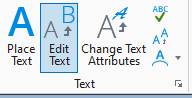
Edit Text |
Edit text that's already been placed |
|
Spell Checker |
Spell Checker |
|
Change Case |
Change upper/lower case |
|
Display Text Attributes |
Displays attributes of text that's already been placed in the design file |
|
Match Text Attributes |
Matches attributes of text that's already been placed in the design file |
|
Change Text Attributes |
Change attributes of text that's already been placed in the design file (toggle on those you want to change) |
|
Place Text Node |
Place text node (placemark for
text) |
|
Copy/Increment Text |
Lets you increment text numbers |
|
Text Nodes |
Reserve space (with stored attributes) for later input of text (fill-in-the-blank) |
|
Viewing |
View, View Attributes - to turn text nodes off/on |
|
Creating Empty Text Nodes |
Lets you place a text node |
|
Filling In |
Turn text lock on, Box 1, method: origin |
|
Data Fields |
Reserve space (with stored attributes) for later input of text (fill-in-the-blank) Similar to text nodes but is somewhat automated |
|
Creating |
Type in underscores____ (underscores are reserved) |
|
Turning data fields on/off |
Settings, View Attributes - to turn underscores off/on |
|
Filling In - Single Field |
Must identify single field |
|
Filling In - Automatic |
Select view and software searches for empty data fields (in order they were originally created) |
|
Copying Data Fields |
Copies contents from one data field to another |
|
Copying & Incrementing Data Fields |
Increments numeric portion of data field |
|
Editing Text in a Data Field |
Edit a data field. Data fields are enclosed by <<xx>> |
|
Tags?????? |
Tags are used to attach information to an element (material, description, etc) Will not be covered in this class. Before tags is the “drop text” command. |